Receipt Books
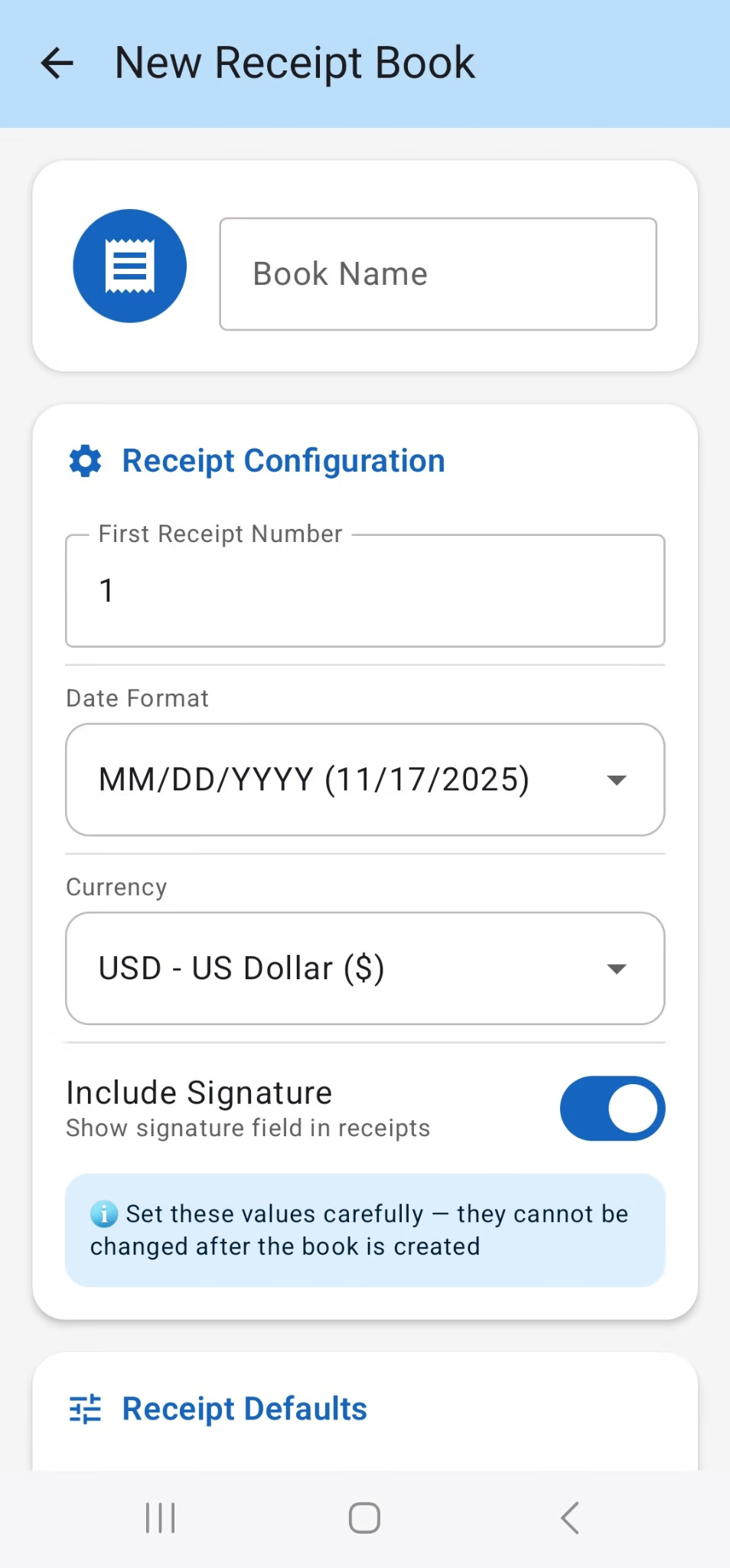
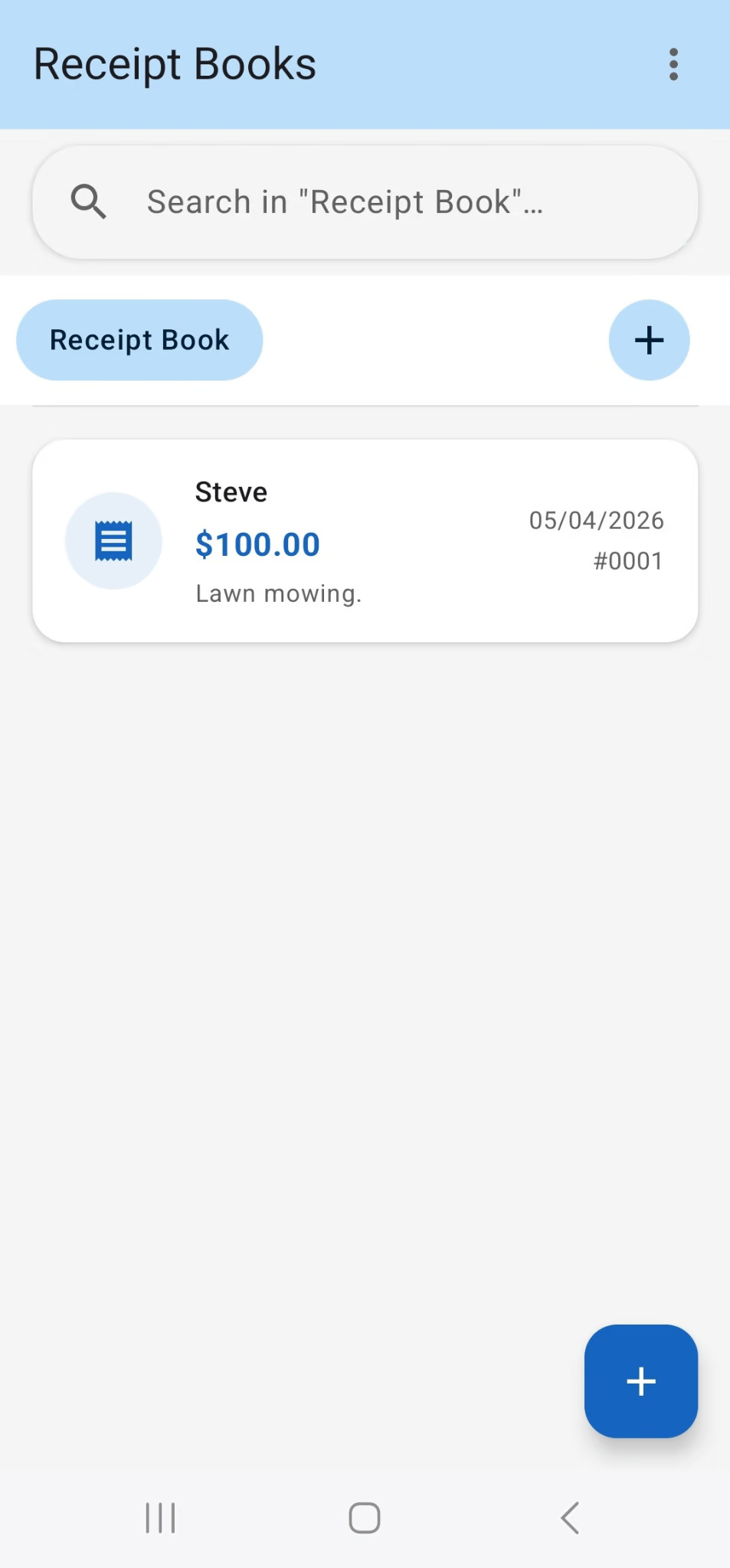
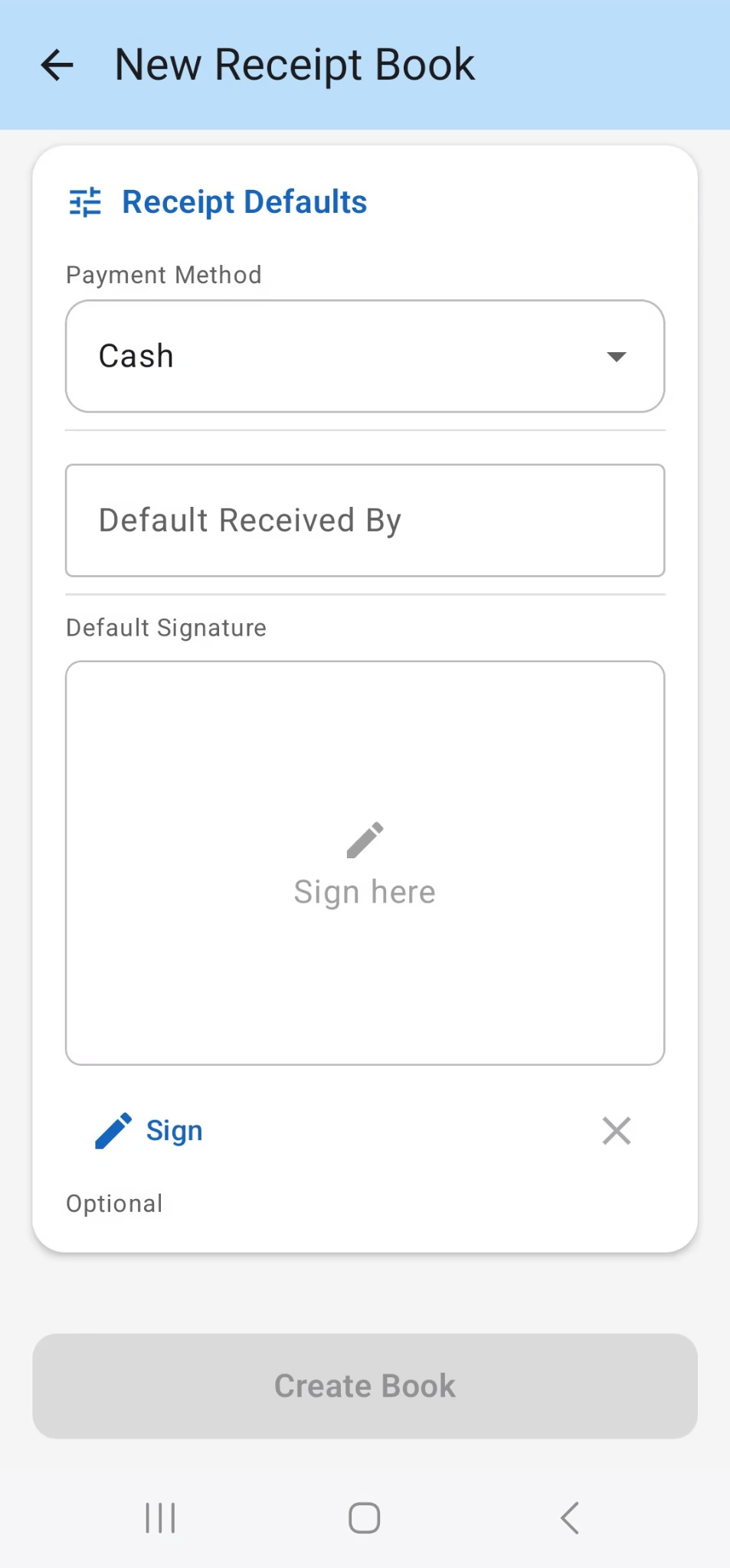
Create separate books, each with its own numbering, currency, date format, PDF template and defaults. Archive finished books to keep your list tidy.
Create organized receipt books, record payments, and share professional PDF receipts — all from your Android device.
A focused receipt app for people who need to record payments clearly without turning receipt management into accounting software.
Create separate books, each with its own numbering, currency, date format, PDF template and defaults. Archive finished books to keep your list tidy.
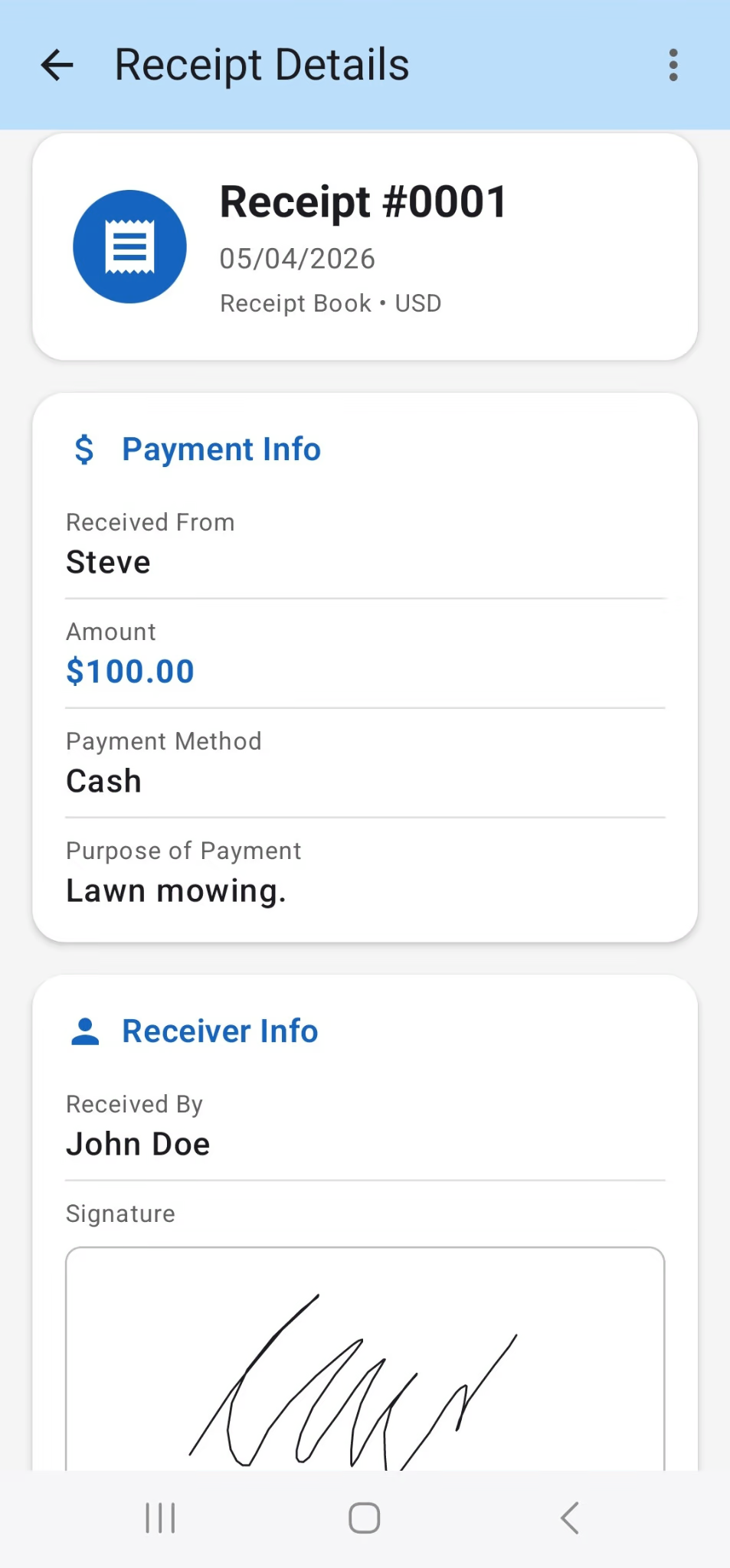
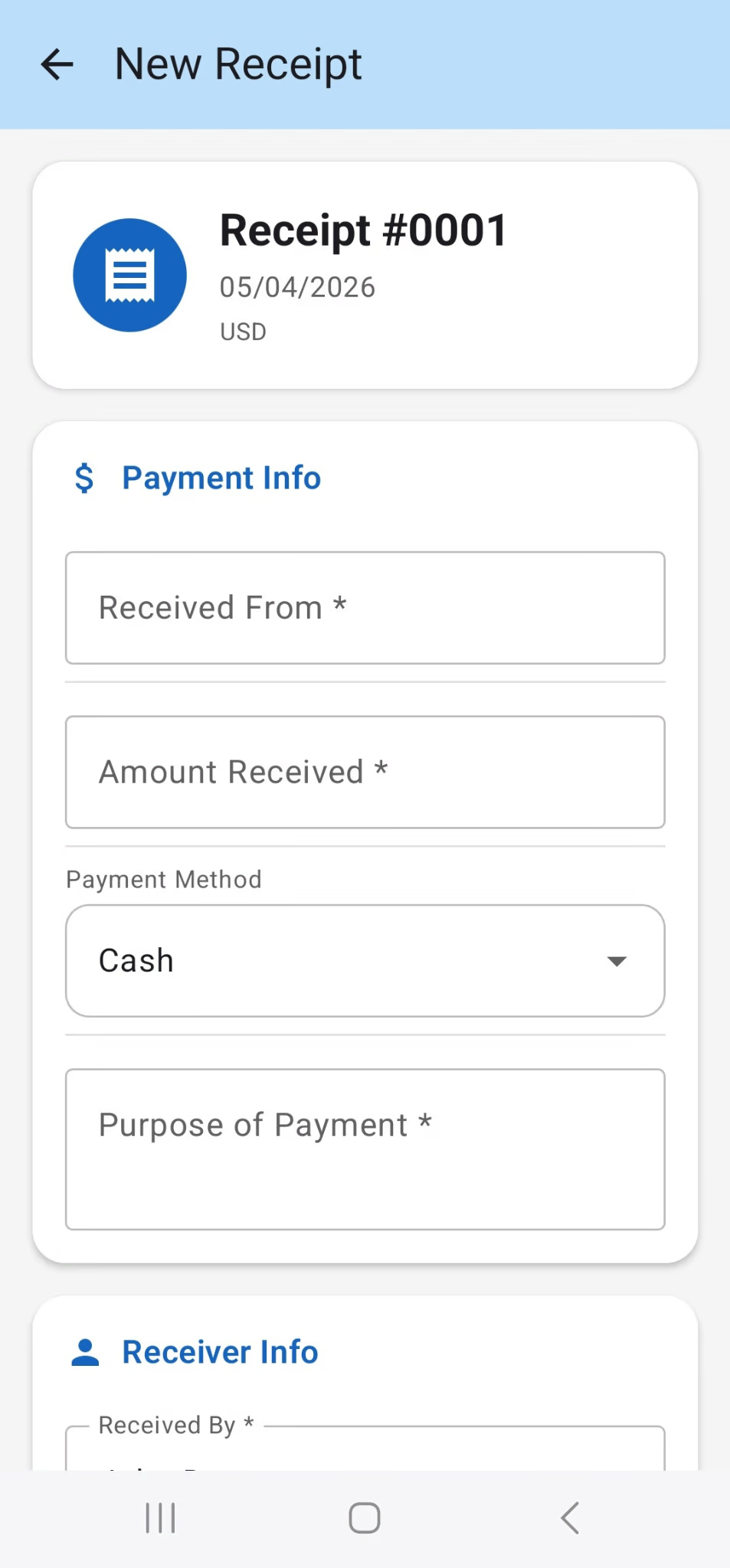
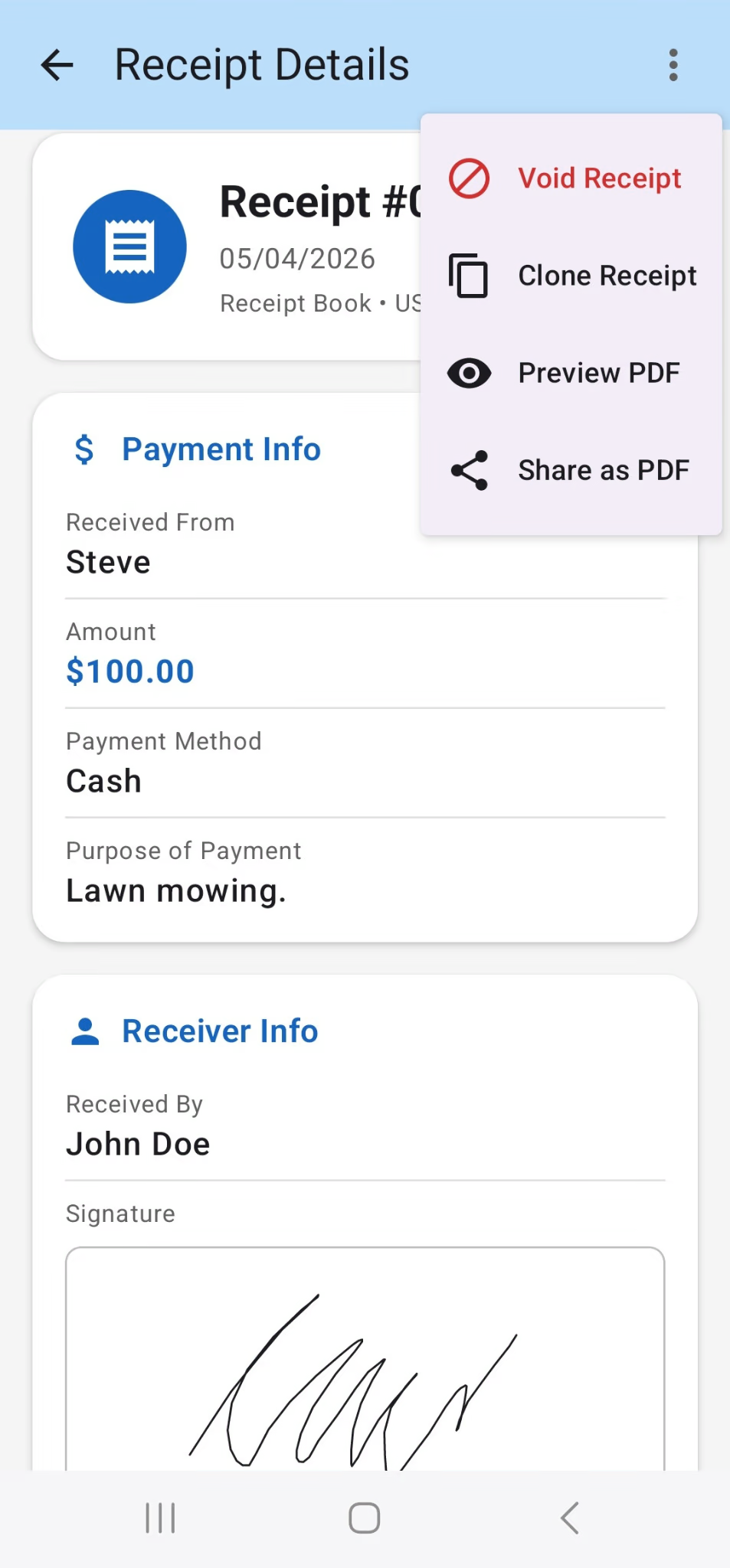
Log who paid, the amount, the payment method and the purpose in seconds — or clone a previous receipt to reuse its details.
Choose Standard, Classic, Modern, Handwritten or Thermal, then preview and share your receipt as a PDF straight from the app.
Capture a signature on a receipt, or set a default signature for a whole book, when a signed record is needed.
Void a receipt to cancel it while keeping the record and its number, restore it if needed, and search any book by payer or purpose.
Export all your receipt books and their receipts to a single Excel file for bookkeeping, taxes or backup.
Keep the workflow simple and the record complete.
Set the book name, first receipt number, date format, currency and defaults.
Enter the payer, amount, payment method and purpose.
Capture the recipient and signature when required.
Preview, export and share a professional PDF receipt.
Configure the basics once, then keep creating receipts with consistent numbering and defaults.
Real screenshots from the app — no mockups or placeholders.
Cash Receipt is designed around local receipt management. You can create and manage your records without needing an account or cloud storage.
Quick answers about how Cash Receipt works.
No. Cash Receipt works fully offline and stores your data on your Android device — there is no account or sign-up.
Yes. Choose from five PDF templates — Standard, Classic, Modern, Handwritten and Thermal — then preview and share the receipt as a PDF.
Yes. Export all of your receipt books and their receipts to a single Excel file for bookkeeping, taxes or backup.
Cash Receipt includes 35 currencies, 5 date formats and 9 languages, so you can match your local conventions.
Yes. Sign an individual receipt, or set a default signature for a whole book when a signed record is needed.
Void the receipt to cancel it while keeping the record and its number, and restore it later if you need to.
Cash Receipt is free to download on Google Play.
Create a receipt book, record your first payment, and share a professional receipt in minutes.
Get Cash Receipt on Google Play